Top 5 Productivity Apps That Are Actually Worth the Subscription
By Steph Miller on April 22, 2026
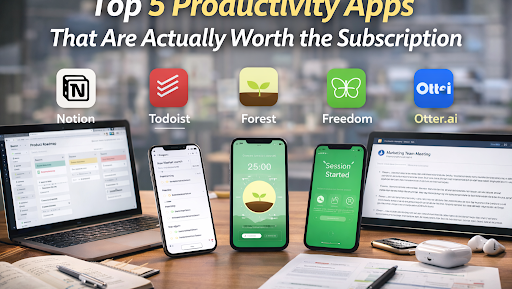
In a world where distraction is the default, productivity apps promise structure, focus, and a better way to manage time. But not all apps deliver real value, especially when tied to a subscription model.
Some tools blur feature overload with limited functionality, while others genuinely help streamline work and life. The five apps below have earned consistent praise from professionals who use them daily — not just as a passing trend, but as foundational tools for getting things done.
These are the productivity subscriptions worth your investment.
1. Notion — All-in-One Workspace
Notion has become the Swiss Army knife of productivity. Its flexible workspace lets you build databases, write documents, plan projects, track goals, and collaborate with teams — all in one place.
What makes Notion stand out is customization. You can use templates for everything from reading lists to company OKRs, and tweak them to fit your workflow. Instead of bouncing between multiple apps, many people consolidate almost all their digital planning inside Notion.
The learning curve can be steeper than simple to-do lists, but once you understand the logic, Notion becomes hard to live without.
Best for: People who want one tool to replace many others.
Subscription value: High — especially if you use databases, team features, or integrated project boards.
2. Todoist — Clean, Powerful Task Management
If you want straightforward task management without unnecessary complexity, Todoist delivers. Subscriptions unlock reminders, custom filters, progress tracking, and integrations with tools like Google Calendar and Slack.
The strength of Todoist lies in its simplicity. You can quickly capture ideas, assign due dates, and organize tasks by project or priority. Karma points and progress visuals make productivity feel rewarding rather than overwhelming.
Unlike some heavy task systems, Todoist stays fast and intuitive even with hundreds of items on your list.
Best for: Anyone overwhelmed by task clutter but who still needs focus and organization.
Subscription value: Great — especially for recurring tasks and smart scheduling.
3. Forest — Focus With a Twist
Forest takes a playful, visual approach to focus. Instead of timers and lists, it gamifies concentration: plant a digital tree, and it grows while you stay focused. If you leave the app, the tree withers.
This simple concept has psychological power. It turns focus into a visible commitment, and seeing a forest of completed sessions becomes motivating. The subscription unlocks themes, multiple tree species, focus analytics, and integration with real-world tree planting.
Forest’s charm lies in its simplicity and its unique ability to make focus feel tangible rather than abstract.
Best for: People who struggle with distraction and need a visual incentive to stay present.
Subscription value: Excellent — particularly for people who actually use the focus sessions.
4. Freedom — Block What Distracts You
Freedom is a tool for digital willpower. Unlike many apps that help you organize tasks, Freedom helps you remove obstacles entirely — by blocking distracting sites and apps across devices.
When you schedule a Freedom session, your phone and computer enforce boundaries. The result is uninterrupted work time. Freedom is ideal for writers, students, or anyone who loses hours to social feeds or random browsing.
The subscription allows custom block lists, recurring schedules, and cross-device sync, giving you consistent digital discipline no matter where you work.
Best for: Deep work sessions or people who struggle with self-control.
Subscription value: High — especially if distraction is your biggest productivity killer.
5. Otter.ai — Automatic Transcription That Actually Works
Where many productivity apps help you plan, Otter.ai helps you capture what matters. Otter provides real-time transcription and searchable meeting notes, saving hours of manual typing.
For remote teams, journalists, researchers, and knowledge workers, Otter turns spoken words into living text you can tag, highlight, and revisit. It integrates with Zoom, exports to docs, and learns your voice over time.
The subscription unlocks advanced features like custom vocabulary and longer transcription sessions — worth it if you regularly attend meetings, interviews, or brainstorming sessions.
Best for: Professionals who want accurate note capture without marathon typing sessions.
Subscription value: Very high — especially for frequent meetings or recorded discussions.
What Makes a Productivity Subscription Worth It
Not all paid tools are worth the monthly fee. The subscriptions worth keeping share a few key traits:
- They save time you would otherwise spend on repetitive work.
- They replace multiple tools rather than just one.
- They improve consistency and reduce friction.
- They integrate with your existing workflow.
- They make habits easier to build, not harder.
Before subscribing, ask yourself whether the tool fills a real gap in your routine — and whether free alternatives fall short in ways that matter day after day.
A smarter approach to productivity
Productivity is not about doing more. It’s about making room for what matters while reducing noise that distracts or consumes energy without payoff.
The right tools can support that goal, but only when they fit your workflow and encourage intentional focus. Subscriptions make sense when they become partners in your process — not just apps collecting annual fees.
These five tools rise above the noise because they help professionals work smarter, not harder.