
Why Your Wi-Fi Is Slow (and How to Fix It in 60 Seconds)
By Steph Miller on April 20, 2026
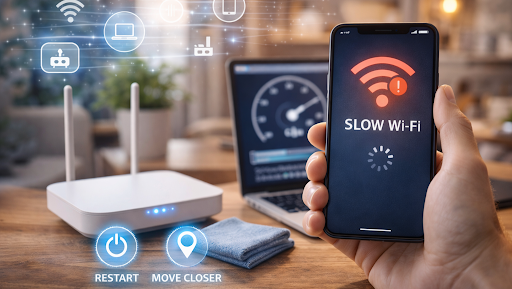
Few things are more frustrating than slow Wi-Fi. Videos buffer endlessly, video calls freeze mid-sentence, and simple web pages take far too long to load. Often, the problem feels mysterious or technical, but in reality, slow Wi-Fi is usually caused by a handful of common issues.
The good news is that many of these problems can be fixed in under a minute, without calling your internet provider or buying new equipment. Understanding what slows your connection down makes it much easier to get your Wi-Fi back up to speed.
The most common reasons your Wi-Fi is slow
Slow Wi-Fi does not always mean slow internet. In many cases, your connection is fine, but the signal is struggling to reach your device efficiently.
Distance is one of the biggest factors. The farther you are from the router, the weaker the signal becomes. Walls, floors, and furniture can block or weaken Wi-Fi, especially in older buildings.
Network congestion is another frequent cause. If many devices are connected at the same time, they compete for bandwidth. Streaming, video calls, online gaming, and large downloads happening simultaneously can slow everything down.
Interference also plays a role. Nearby Wi-Fi networks, Bluetooth devices, microwaves, and even baby monitors can interfere with wireless signals, particularly on crowded frequencies.
Quick fixes you can try immediately
Some of the most effective fixes are also the simplest.
Start by moving closer to your router. Even a few meters can make a noticeable difference. If possible, place the router in a central, elevated location rather than tucked away in a corner or cabinet.
Restarting your router is another surprisingly powerful step. Power it off, wait ten seconds, and turn it back on. This clears temporary issues, refreshes connections, and often restores full speed.
Disconnect devices you are not actively using. Smart TVs, tablets, and background downloads quietly consume bandwidth even when idle. Fewer connected devices mean more speed for the ones that matter.
Router placement and settings that matter
Where your router lives has a bigger impact than most people realize. Routers work best in open spaces, away from thick walls, metal objects, and electronic clutter. Keeping it visible and unobstructed improves signal strength instantly.
Many routers broadcast on two frequency bands. The 2.4 GHz band travels farther but is slower and more crowded. The 5 GHz band is faster and cleaner but has a shorter range. Switching your device to the 5 GHz network can significantly improve speed if you are nearby.
Checking for firmware updates is another quick win. Router updates often improve performance and security, and they usually take just a few minutes to install.
When your internet plan is the real issue
Sometimes the problem is not Wi-Fi at all, but the internet connection itself. Older plans may not support modern usage patterns like multiple video calls or high-definition streaming.
Run a quick speed test on a device connected directly to the router. If the result is consistently far below what you pay for, it may be time to contact your provider or upgrade your plan.
Peak hours can also affect speed. In the evenings, shared networks may slow down as more people come online. While you cannot fully control this, knowing the cause can prevent unnecessary troubleshooting.
Small habits that keep Wi-Fi fast
Keeping your Wi-Fi fast is often about prevention. Restarting your router occasionally, keeping software updated, and being mindful of connected devices go a long way.
Avoid placing routers near large appliances or behind thick walls. Secure your network with a strong password to prevent unauthorized use that drains bandwidth.
If slowdowns happen frequently in certain rooms, a Wi-Fi extender or mesh system may be worth considering. These tools spread coverage more evenly without a complex setup.
Faster Wi-Fi is often closer than you think
Slow Wi-Fi feels complicated, but it rarely is. In most cases, small adjustments can deliver immediate improvements without extra cost.
Before blaming your provider or replacing equipment, try the simple fixes first. Moving your router, restarting it, or switching networks can restore speed in seconds.
Sometimes, the fastest solution is also the easiest one.